
The profit of your entire Salesforce investment depends a lot on the business insights that you get. Proper reporting has always been a source of confusion among sales and marketing reps, as long as customer relationship management software has been in use. Many teams that use the software to track their sales opportunities and activities have struggled with the numerous difficulties in producing reports from their Salesforce sales and marketing data.
In short, the challenges of Salesforce reporting within Salesforce are as follows:
- Building reports is manual and repetitive
- For the average user, finding the right Salesforce data is difficult
- Reports are often difficult to share, leading to them being unused (and often recreated)
- Visualization options are limited and cross-object reporting is brittle
- Often you don’t know what data you’re missing until it’s time to report on it
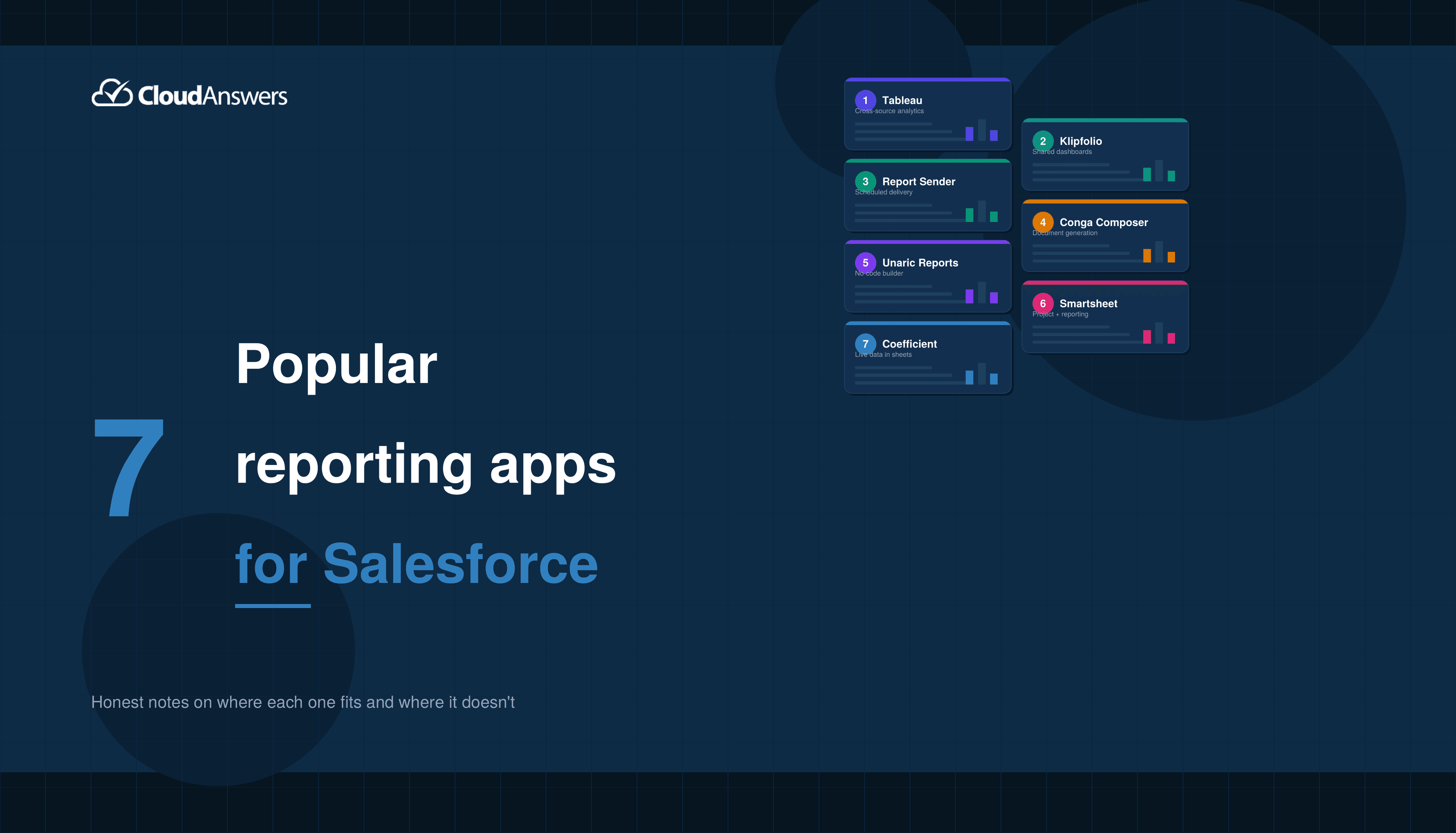
Those constraints are why the AppExchange has a thriving market for reporting tools. Below are seven worth knowing about, with honest notes on where each one fits and where it does not.
Quick Comparison
| Tool | Best for | Pricing tier |
|---|---|---|
| Tableau | Analyst-heavy teams needing cross-source blending | $$$ |
| Klipfolio | Agencies and ops teams building shared dashboards | $$ |
| Report Sender | Scheduled report delivery to non-SF users | $ |
| Conga Composer | Document generation from SF data | $$ |
| Unaric Reports | No-code custom reports beyond SF native limits | $$ |
| Smartsheet | Project teams that want light reporting alongside PM | $$ |
| Coefficient | Finance and ops teams that live in Excel or Sheets | $$ |
1. Tableau
Best for:Analyst-heavy teams that need to blend Salesforce with warehouse, ad, or product data.
Now owned by Salesforce, Tableau offers tight Salesforce integration and is one of the most capable visualization platforms on the market. It is overkill if all you need is a scheduled pipeline report, but unmatched if you have a real analytics function.
It offers multiple business benefits:
- Easy to use. Tableau’s drag-and-drop interface makes it accessible for both analysts and business users.
- Full information availability. Tableau has built-in integration with Salesforce, allowing reports and dashboards to be embedded within Salesforce. It can pull in data from virtually any source, it is not limited to only the data stored in Salesforce.
- Rich visualization library. Many types of charts can be created, including Sankey, Doughnut, Maps, and more.
- Data blending and extraction. Salesforce reporting cannot combine data across Salesforce modules. For instance, it cannot display marketing engagements and pipeline growth on the same chart. Tableau does this type of data blending natively.
- Multi-device support. Dashboards can be viewed on tablets, mobiles, and laptops.
Watch out: performance and licensing are real considerations at scale. Tableau has documented row and extract limits depending on edition (source: Tableau performance docs).
2. Klipfolio
Best for:Agencies, consultancies, and ops teams that want shared client dashboards without a full BI stack.
Klipfolio is a real-time data analytics tool for basic to intermediate data visualization and dashboards. It enables users to connect to any data source, create visualizations, and share them. It is best used for live display of data from various sources in a consistent interface, but can also be used for exploratory, self-service business intelligence.
Key benefits:
- White label solution: great for agencies and consultancies
- Easy to add data from different remote sources like Dropbox, Excel files, or CSV exports
- Dynamic variables for flexible reporting
- Simple and user-friendly data visualization
- Hundreds of built-in integrations with numerous data sources
- Hover effects showing the details of a particular data point for closer inspection
- Multiple data source formats: you can build data sources in JSON, Summarized View, and Detailed View
- Shared/permalink dashboards for private access without requiring login
- Dashboards can be shared in PDF, JPG, and CSV formats
- Unlimited users
- Auto-resizing dashboards based on the device used
3. Report Sender by CloudAnswers
Best for:Admins who need to deliver Salesforce reports on a schedule to anyone, including employees without a Salesforce license, partners, and customers.
Report Sender is an application that allows you to schedule and send reports to any email address, in an Excel-friendly format. There are no restrictions on objects or fields, and all Salesforce sharing rules and field-level security for users are obeyed.
How Report Sender can help you in daily reporting duties:
- Easily schedule and customize reports with flexible frequency options, daily, weekly, hourly, monthly, quarterly, annually, and based on custom fiscal periods
- Send reports to all email addresses, including non-Salesforce users
- Reports can be sent as CSV, XLS, or formatted XLSX file, or embedded directly in the email
- Unlimited number of reports
- Easy email body customization with support for rich text, letterheads, and merge fields
- Multiple schedule options, including one-time sends
- Plus and Premium subscribers can skip sending blank reports, send lightning dashboards as embedded images, choose the From address, and send joined reports
- Premium tier adds dynamic filtering (one report filtered differently per recipient) and secure file sharing with email verification
Report Sender helps you in your daily business. It can, for example, automatically send leads to co-marketing partners from Salesforce campaigns and lead reports, or send the sales pipeline to the executive team. It keeps all interested parties up to date with business performance indicators, not just those with access to Salesforce.
Full disclosure: We built this app!
4. Conga Composer
Best for:Teams generating documents (proposals, contracts, quote packets) from Salesforce data, not analytical reporting.
Conga is built for sales and marketing professionals who need to generate and send presentations, proposals, reports, or contracts. Conga allows users to combine and merge data from external databases. Users can collaborate by setting up document templates and workflows, and can access and sign documents remotely. The platform provides the tools to easily negotiate with key stakeholders and sign contracts on the go. Conga also allows multiple people to work on a contract together and redline the document.
Conga Composer benefits:
- Salesforce template integration: build templates in Word, Excel, PowerPoint, or HTML
- Complex pages pulling multiple objects
- Template-based for reusability
- Multistep processes that save time through batch and triggered document generation
- Flexible design that handles complex data merges
- Works well with other software like Adobe Sign, DocuSign, and more
- PDFs are completely customizable to meet branding requirements
- Automatically stores details in the contact’s activity history so you can see who has received what documents
5. Unaric Reports (formerly Report Builder by Cloud4J)
Best for:Admins who have hit the limits of Salesforce native reports and want a no-code builder without leaving the platform.
Unaric Reports is an app that enables users to build, download, and schedule Salesforce reports and dashboards in a variety of formats. Following Unaric’s acquisition of Cloud4J in December 2024, the product has been rebranded and expanded as part of Unaric’s growing suite of Salesforce-native applications. It includes charts, conditional formatting, and can query more than 2,000 records, including formula fields. There is no installation necessary, and it works with existing Salesforce reports.
Key features:
- Advanced report builder: create reports from any Salesforce object using a no-code, point-and-click interface
- Multiple schedules can be set on a single report or dashboard
- Flexible delivery: send to Salesforce and non-Salesforce users via email, Slack, Microsoft Teams, or FTP
- AI-powered analysis: surface trends, anomalies, and executive summaries from your data
- Multi-source integration: combine Salesforce data with other business systems
- Brand customization: adjust colors, fonts, and layouts to match your corporate identity
- Multiple output formats: PDF, Excel, Word, PowerPoint, and HTML
- Monitor delivery and open rates for sent reports
6. Smartsheet
Best for:Project and PMO teams that want a spreadsheet-style work platform with light reporting bolted on. Not a true BI tool.
Every successful business already uses spreadsheets, and Smartsheet turns those familiar rows and columns of cells into a powerful app. The result is a tool that can handle workflow automation, content collaboration, forms management, project management, activity logging, scheduling, and real-time data tracking. This cloud-based app makes spreadsheets smarter, and for certain kinds of work, it might be preferable to a more traditional project management platform.
Smartsheet key features:
- Multiple views: Gantt charts, board views, calendar views, and table views
- Unlimited possibilities for adding custom fields to tasks
- Automatic reminders and notifications
- Customizable templates
- Milestone tracking and portfolio management
- Time and expense tracking
- Salesforce integration for connecting project data with CRM workflows
- Automation builder with flexible trigger/action options
Smartsheet | Smartsheet Salesforce Connector on AppExchange
7. Coefficient
Best for:Finance, ops, and rev ops teams who already build their reports in Google Sheets or Excel and want live Salesforce data in them.
Coefficient is a modern reporting tool that bridges the gap between Salesforce and the spreadsheets your team already knows. Available as a Google Sheets add-on and Excel integration, Coefficient syncs live Salesforce data directly into your spreadsheet — giving you real-time reporting without leaving the tools you already use every day.
Key features:
- Live data sync: pull real-time Salesforce data into Google Sheets or Excel with automatic refresh schedules
- Two-way sync: push changes from your spreadsheet back into Salesforce to update records, insert new data, or delete entries
- No-code setup: connect to Salesforce and start importing data without writing code or SOQL queries (though custom SOQL is supported for power users)
- Pre-built templates: get started quickly with report templates for pipeline reviews, forecast tracking, and more
- AI-powered automation: set alerts when data changes and auto-distribute reports via Slack or email
- Flexible imports: pull from existing Salesforce reports, query individual objects and fields, or write custom SOQL
- Combine multiple data sources: merge Salesforce data with information from HubSpot, databases, and other systems in a single spreadsheet
- Collaborative reporting: share live-updating spreadsheets with your team for real-time alignment
Improve Your Salesforce Reporting
Improving your Salesforce reporting can help you make more informed decisions about your sales and marketing strategies, your internal operations, and your customer service. The right metrics can help you identify weaknesses — but more importantly, proper reports can help you find what’s working and resonating with your customers. So improve your reporting results with one of the many great plug-ins available on the AppExchange.
Still stuck? Send us a message, and we’d be happy to talk about your reporting needs.
Related Articles

10 Salesforce Permissions You Should Almost Never Assign to Users
If you have ever inherited a Salesforce org and opened up the…
June 30, 2026
17 Min Read
How to Build a Salesforce Backup Strategy: What to Back Up, How Often, and Where to Store It
If you’ve ever read a blog post about Salesforce backup that left…
April 30, 2026
16 Min Read
Salesforce Data Recovery Without a Backup: What Your Options Actually Are After Accidental Deletion
It happens to every Salesforce admin eventually. Maybe a user ran a…
April 24, 2026
12 Min Read

Partners

Company
Get in touch
Locations: New Hampshire, India, Maine, Colorado, Poland, Ukraine, Belarus
Email: help@cloudanswers.com
Phone: +1 508 500 8333