Save Your Data
Salesforce is mission-critical. Your backup strategy should be too.
DBsaver is a purpose-built Salesforce backup solution that protects your data and business continuity, without adding operational overhead. DBSaver gives you confidence that your org is protected from human error, bad integrations, and unexpected data loss.
Protect your Salesforce data today!
Start Your TrialLearn More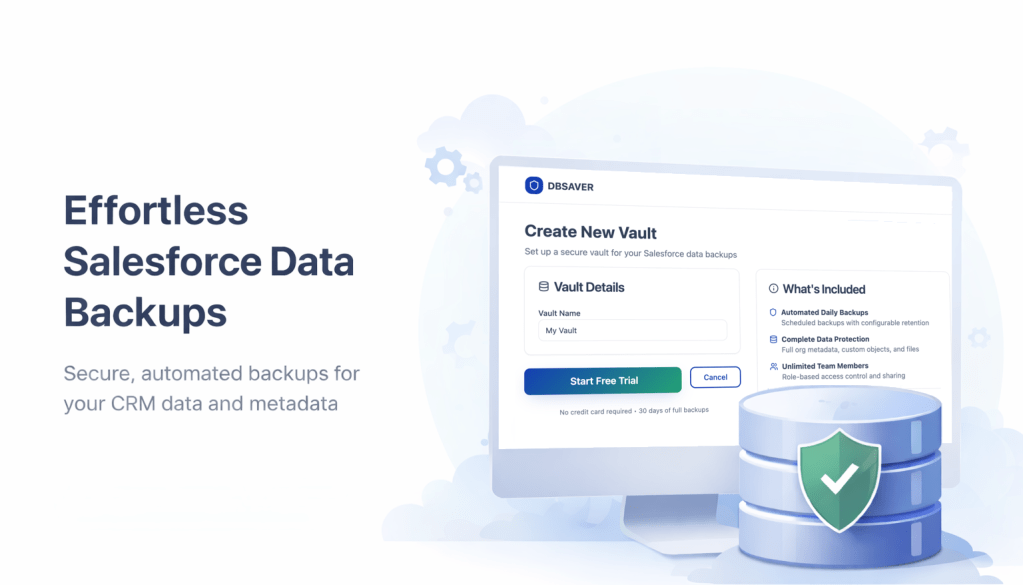
Simple Pricing for Your Data Vault
Vaults are flexible data containers that can have multiple Salesforce backups.
- 400GB of backup storage
- Additional storage is $0.25/GB (yes that's cents)
- Hourly, daily, or weekly backups
- Search and download data anytime
- Email & chat support
- Unlimited team members
- 400GB of backup storage
- Additional storage is $0.25/GB (yes that's cents)
- Hourly, daily, or weekly backups
- Search and download data anytime
- Email & chat support
- Unlimited team members
Why Salesforce Teams Choose DBSaver
Salesforce provides powerful CRM capabilities and easy data updates. They even provide a data export service. But do you really remember to back up your data regularly? If a bulk update went wrong right now, how would you recover?
DBSaver ensures you can:
- Restore deleted records quickly
- Recover from bulk updates gone wrong
- Protect against integration errors
- Safeguard against accidental data loss
- Maintain business continuity

Built for Busy Administrators
You're on the front lines when something breaks. When a flow updates 50,000 records incorrectly, a user deletes the wrong opportunity, or an integration has the wrong field mapping, you need an up-to-date backup.
Automated Backups
Set it and forget it. Your org is backed up automatically on your schedule - hourly, daily, or weekly.
Simple, Admin-Friendly Interface
No complex scripting. No weekly reminders to start a backup. No external storage configuration. Nothing you have to manage.
Record-Level Restore
Go to the right table and filter down to exactly the records you need. Then with one click, you now have a CSV file ready for restoring just the records you need.
Hosted by Salesforce
DBSaver runs completely on Heroku, Salesforce's own external hosting solution. So your data never leaves the Salesforce ecosystem.
Start Your Backup in Seconds
Step 1
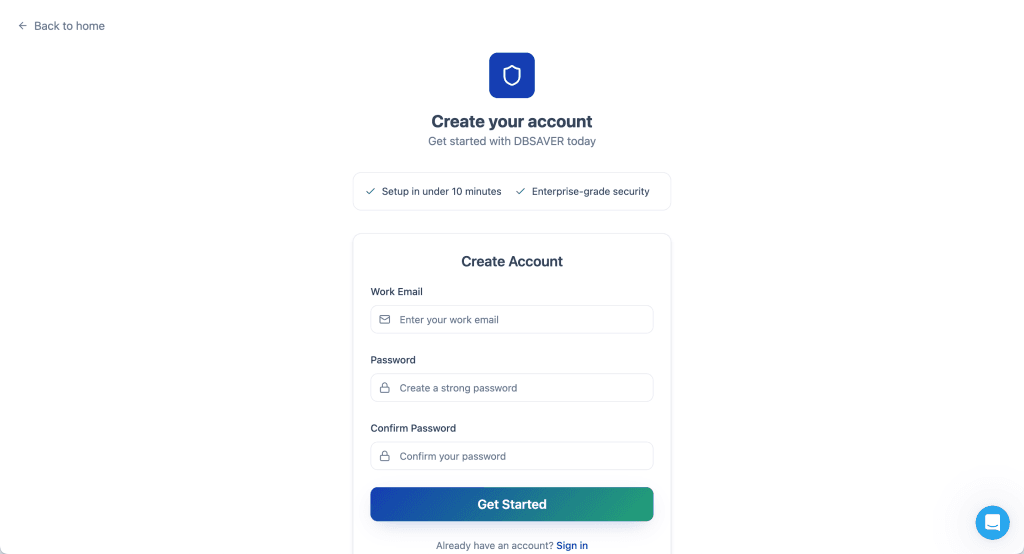
Sign up for a free account on dbsaver.com. No credit card needed.
Step 2
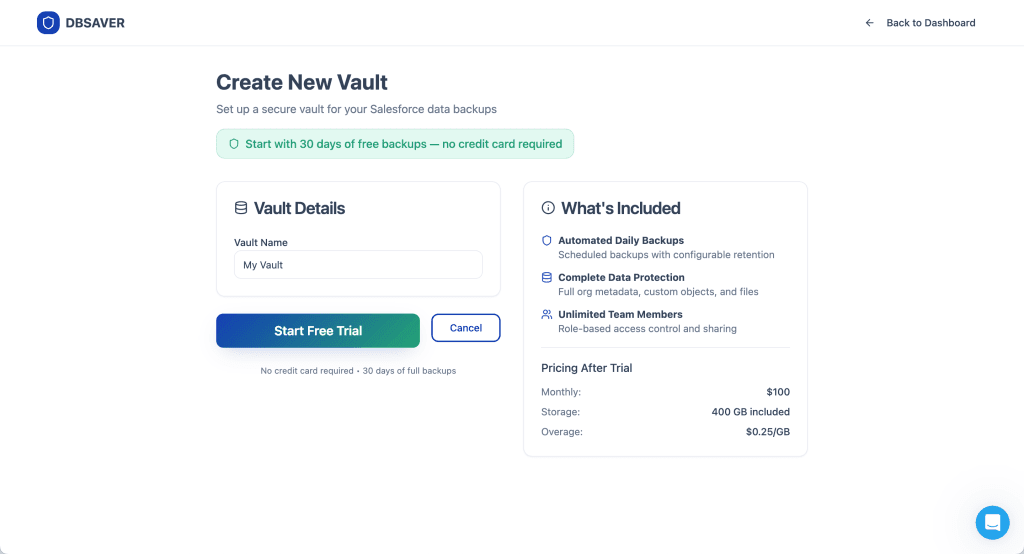
Create a vault. A vault is just like a folder for backups. Vaults can have as many Salesforce orgs as you’d like. Vaults can be shared with other people.
Step 3
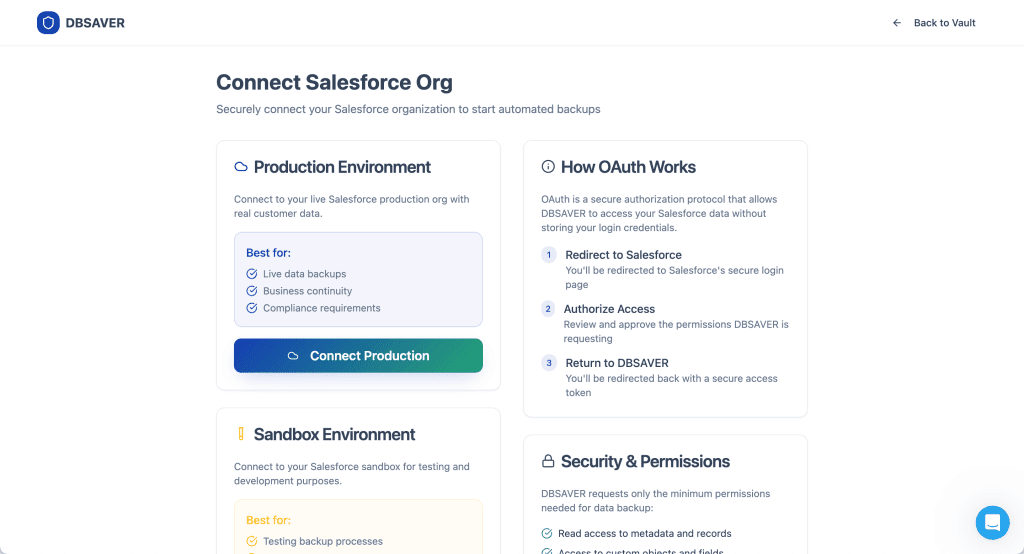
Connect your org. DBSaver connects to Salesforce using OAuth. Any Salesforce administrator can connect an org. You can even connect sandboxes if you want.
That’s it! Your org is now set up to be backed up daily. The first backup will start within an hour, or you can kick off one immediately.
You can then connect other orgs, change your backup frequency, and invite other team members. Don’t forget to sign up for a subscription before your trial ends!
Frequently Asked Questions.
Salesforce offers limited recovery options and paid data recovery services, but they are not a comprehensive, on-demand backup solution.
DBSaver backs up data to a US-based Heroku data center (owned by Salesforce). Contact us if you have data residency requirements outside the US.
Yes. DBSaver allows you to search through your backed-up records to find exactly the record or records you want to restore. Then you can download the backed-up data and choose which fields or how you want to restore it.





Partners

Company
Get in touch
Locations: New Hampshire, India, Maine, Colorado, Poland, Ukraine, Belarus
Email: help@cloudanswers.com
Phone: +1 508 500 8333