

Salesforce’s Spring ’26 release lands on February 23rd, 2026, and they’re delivering more features that solve Admin pain points. Sandbox preview orgs have been available since early December 2025, giving you time to explore what’s coming.
We’ve combed through the release notes to identify the eight updates that’ll have the biggest impact on your daily Admin work. From long-awaited security improvements to Flow automation that doesn’t require a developer, here’s what deserves your attention.****
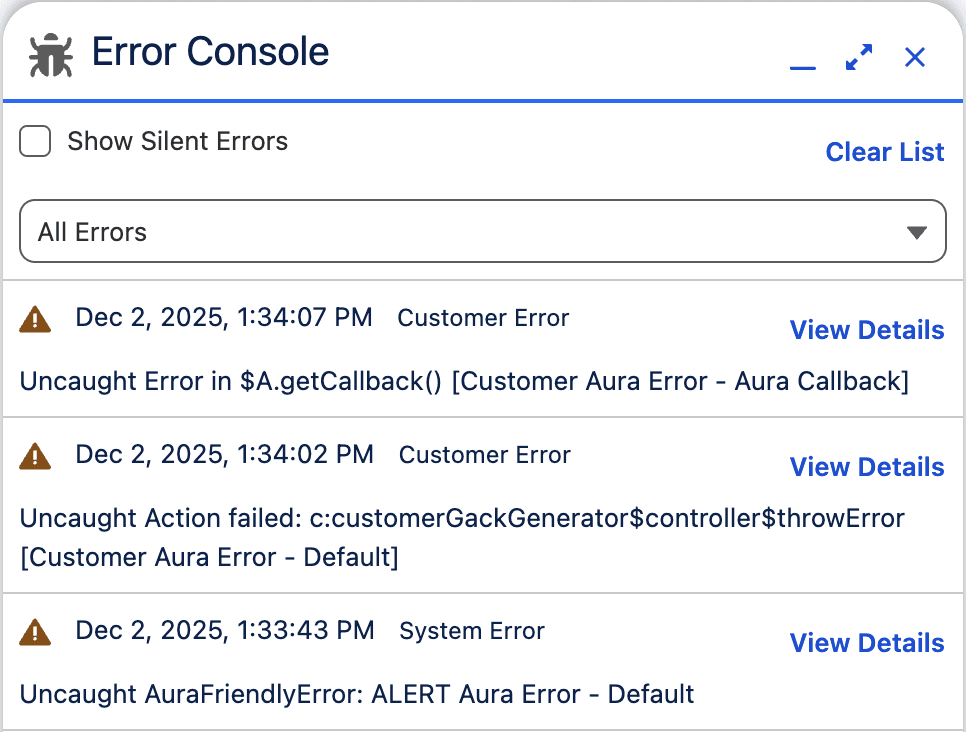
1. Error Console – Stop Playing Whack-a-Mole with User Issues
What it does: Centralized monitoring for Lightning page errors across your entire org.
The days of reactive troubleshooting are over. The Error Console gives you visibility into page-level errors before users even report them. You can identify which pages throw errors most frequently, spot patterns, and fix issues during scheduled maintenance instead of dealing with mountains of tickets.
2. Delete Salesforce Files Permission – A Welcome Security Change
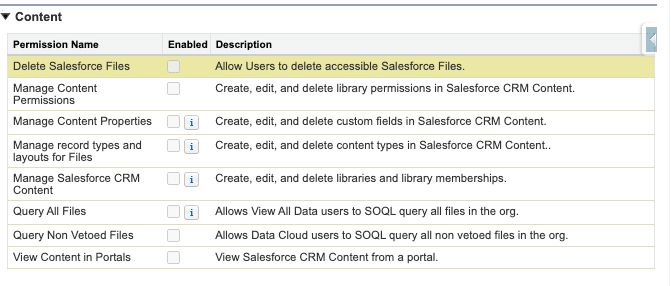
What it does: Let users delete files without granting the “Modify All Data” permission.
This is huge. Before Spring ’26, giving someone file deletion rights meant handing over “Modify All Data” permissions, essentially the keys to your kingdom. Not happening on any security-conscious admin’s watch.
The new “Delete Salesforce Files” permission follows the principle of least privilege. Users can delete files they have access to without owning them, and you can sleep at night knowing you haven’t created a security vulnerability.
Perfect for:
- Content managers maintaining shared libraries
- Team leads handling project documentation
- Compliance teams that are removing outdated materials
- Anyone who needs file management rights without Admin access
3. Dashboard Tables That Actually Remember Your Report Settings
What it does: Automatically carries over all report configurations when adding tables to dashboards.
Remember spending 20 minutes formatting a report, perfect groupings, filters, everything, then adding it to a dashboard and having to reconfigure the whole thing? That nightmare ends with Spring ’26. Dashboard tables now respect your report settings automatically. Add a report table to a dashboard, and all your configurations transfer. No duplicate work, no inconsistencies, no frustration.
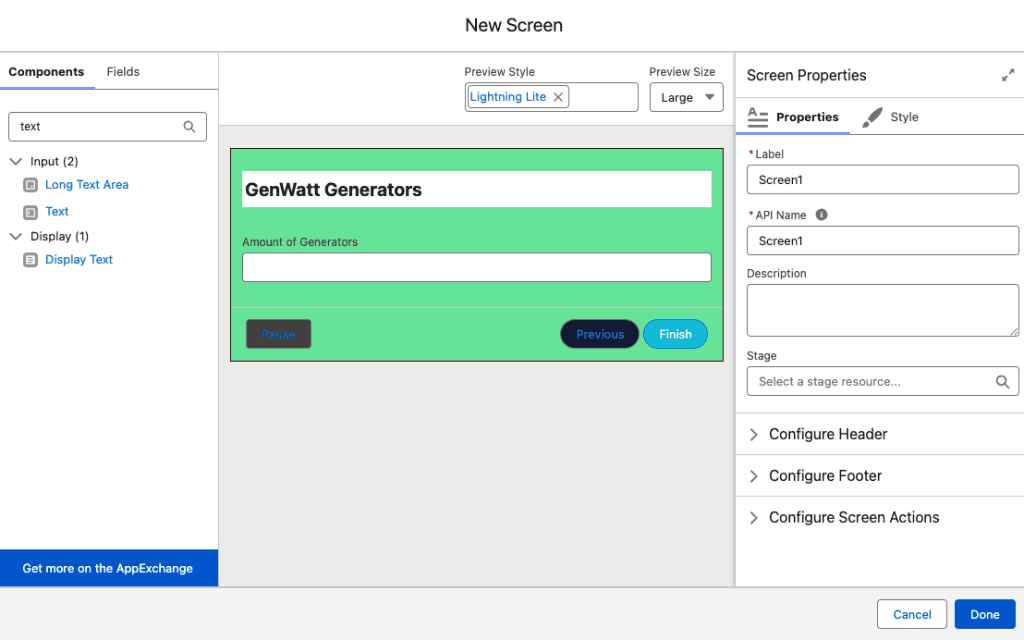
4. Screen Flow Styling – Align Flows with your branding
What it does: Native styling options built directly into Flow Builder.
Making a Flow screen look decent used to require either accepting Salesforce’s bland defaults or building custom Lightning components. Spring ’26 changes the game with native styling options in Flow Builder.
Customize background colors, borders, fonts, and button colors through a new Style tab in screen elements. Match your company branding or create a visual hierarchy, no code required.
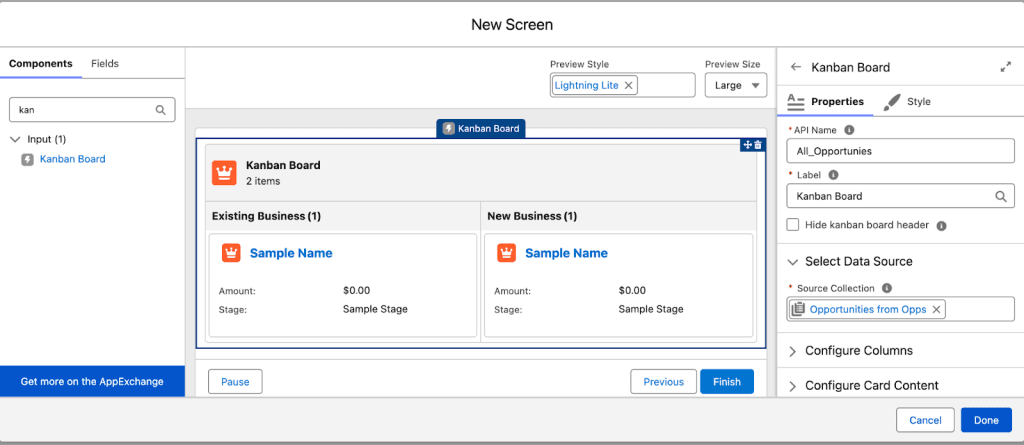
5. Kanban Board Component – Visual Workflow Management in Flows
What it does: Embeds a native Kanban board directly into Screen Flows.
This feature delivers the kind of modern, interactive experience users expect. Drag and drop functionality for moving records between columns, all inside a Screen Flow.
Real-world applications:
- Sales pipeline stage management with a visual board view
- Project task tracking with drag to update status
- Support ticket workflows with priority lanes
- Recruitment pipeline management
Users interact with records visually without leaving the Flow screen. It’s intuitive, efficient, and feels like software built in 2026, not 2006.
6. Record Triggered Flows on Files – Automate Your Document Processes
What it does: Create Record Triggered Flows on ContentDocument and ContentVersion objects.
This is a game-changer for document management. What used to require Apex can now be done natively in Flow. Every time someone uploads a file, updates it, or links it to a record, you can trigger automated workflows.
Automation possibilities you couldn’t do before:
- Approval processes when contracts are uploaded
- Notifications when important documents arrive
- Automatic tagging and categorization based on content
- Document expiration reminders
- File naming standardization
- Compliance checks on upload
If your org handles significant document volume, this feature opens up automation opportunities that previously required custom code or expensive apps.
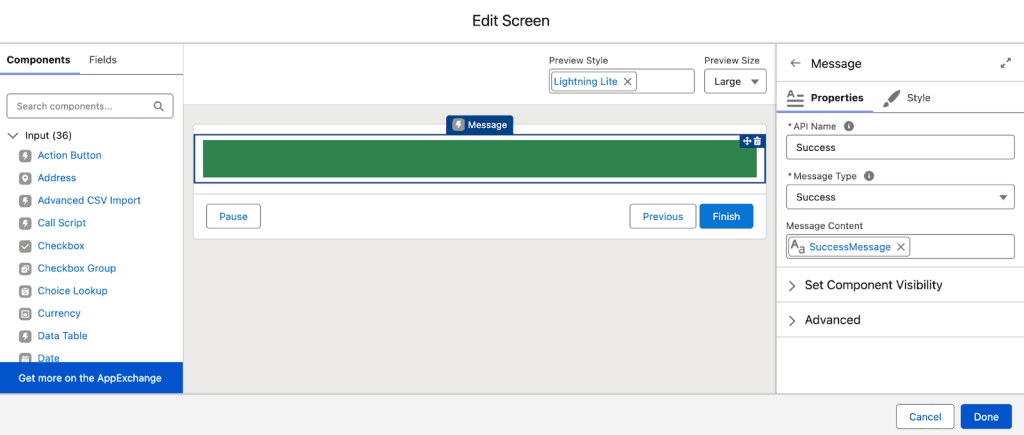
7. Message Component – Alerts in Screen Flows
What it does: Dedicated component for displaying success messages, warnings, and errors in Screen Flows.
No more cobbling together text displays and hoping they look distinct enough. The Message component provides proper styling and accessibility for informational, success, warning, and error messages. Small feature, big impact on how polished your Flows feel.
8. External Client Apps – Better Security for Integrations
What it does: Replaces Connected Apps with more secure External Client Apps for new integrations.
Salesforce is blocking the creation of new Connected Apps and pushing admins toward External Client Apps. You can keep existing Connected Apps running, but new integrations need External Client Apps (or you’ll need to contact Support for exceptions).
What makes External Client Apps better:
- More granular OAuth policies
- Mandatory scope validation for client credentials flows
- Improved auditability and monitoring
- Better alignment with modern security standards
This shift reflects Salesforce’s response to industry-wide OAuth security concerns. It’s not just a preference—it’s about protecting your org from emerging threats.
Action required: Audit your Connected Apps inventory now. Start planning migrations for actively maintained integrations. This isn’t something to put off.
A Spring ’26 Action Plan
Don’t let these features go to waste. Here’s how to take advantage of them:
This Week:
- Sign up for a Pre Release Org https://www.salesforce.com/form/signup/prerelease spring26/
- Review the full release notes https://help.salesforce.com/s/articleView?id=release notes.salesforce_release_notes.htm&release=260&type=5
- Audit your Connected Apps – document what you’re using
Before Production Rollout:
Test the Error Console – identify problem pages in your sandbox
Review file deletion permissions – plan permission set updates
Update key dashboards – leverage new report table behavior
Identify Flow improvement opportunities – which Flows need styling, Kanban boards, or file triggers?
Production Rollout Dates:
- January 10, 2026
- February 14, 2026
- February 21, 2026
Spring ’26 Focuses on Making Admin Tools More Powerful
Spring ’26 focuses on making admin tools more powerful without requiring development skills. These eight features address real pain points: security that doesn’t require excessive permissions, Flow automation that looks professional, proactive error monitoring, and file management capabilities that should have existed years ago.
The security improvements, granular file permissions, and External Client Apps aren’t optional nice-to-haves. They’re essential for managing modern Salesforce orgs responsibly as data access and compliance scrutiny increase.Are you ready for Spring ’26? Contact CloudAnswers if you need help preparing your org or implementing these new features effectively.
Related Articles

Ready for Salesforce’s Phishing-Resistant MFA?
Starting July 1st, Salesforce will require phishing-resistant MFA for all admins and MFA for all users. Admins must enable security keys or built-in authenticators. Users without MFA may be locked out, requiring assistance. Phishing-resistant MFA prevents unauthorized access by using secure verification methods.
June 29, 2026
4 Min Read
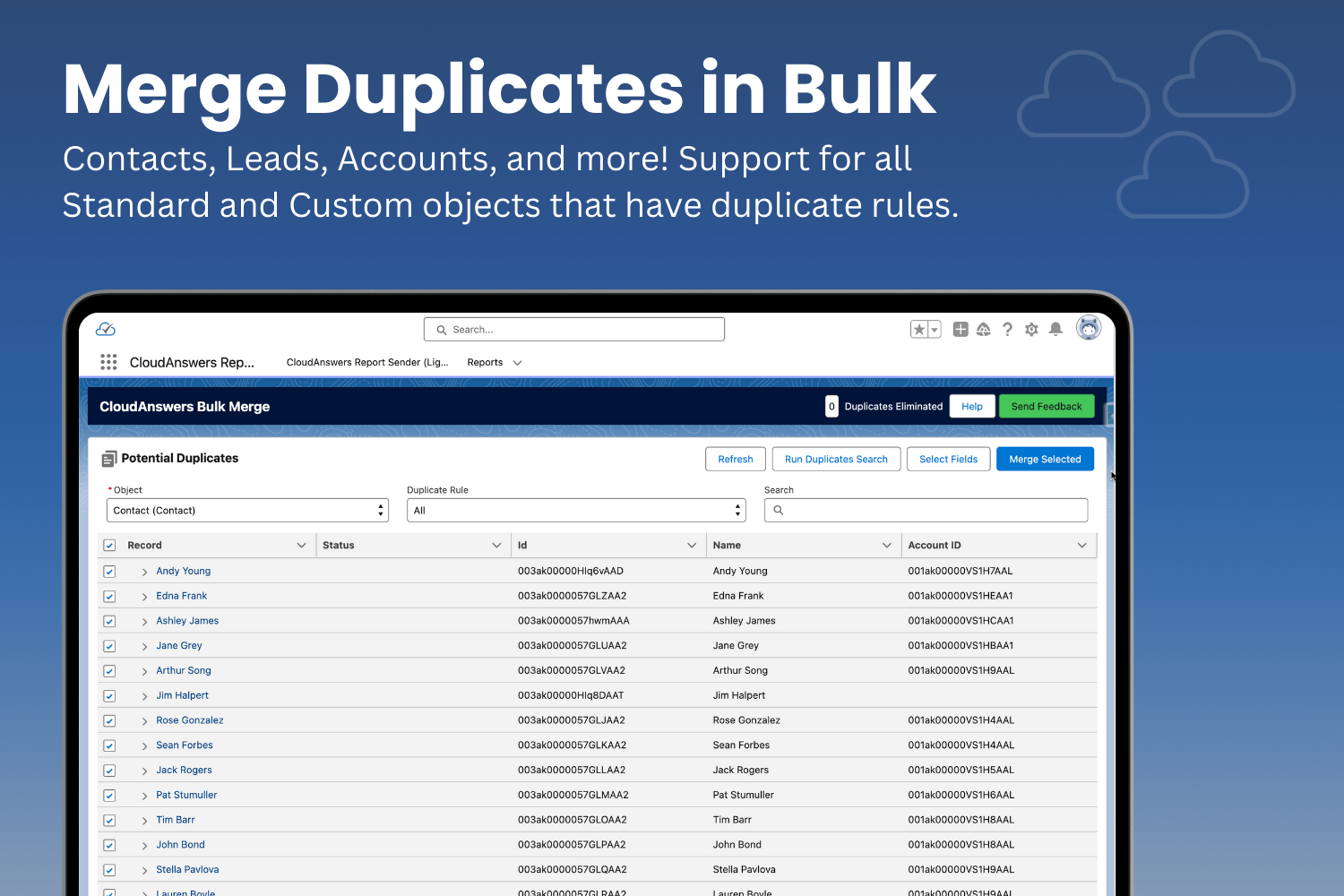
Eliminate Duplicates Fast with Bulk Merge
As consultants and app providers, we get to see a LOT of…
February 24, 2025
5 Min Read
AppExchange Review: Lazy Admin
Don’t you just wish you could ask an AI to build your Salesforce reports for you? I’ve found an app that does just that in our first installment of CloudAnswers AppExchange Reviews. Check out our review of Lazy Admin AI, a great app for an Admin in a rush.
July 25, 2024
5 Min Read

Partners

Company
Get in touch
Locations: New Hampshire, India, Maine, Colorado, Poland, Ukraine, Belarus
Email: help@cloudanswers.com
Phone: +1 508 500 8333