

Who is this for: Salesforce CPQ developers and admins
What's in it for me: Learn to inspect the PDF generation process and see how to make unconventional changes
Background: Custom quote lines must be coded from scratch in CPQ, but if you want to do something simple like hide the group total? We had one customer who uses optional groups as an alternative for the current quote, allowing them to present a PDF with a 1 year option and a 3 year option to highlight savings.
Step 1: Open the developer console so you can watch what happens when the PDF is generated
Step 2: Preview a quote that has a custom document with the quote lines content.
Step 3: Check out the logs in developer console to see all the pages that were loaded:
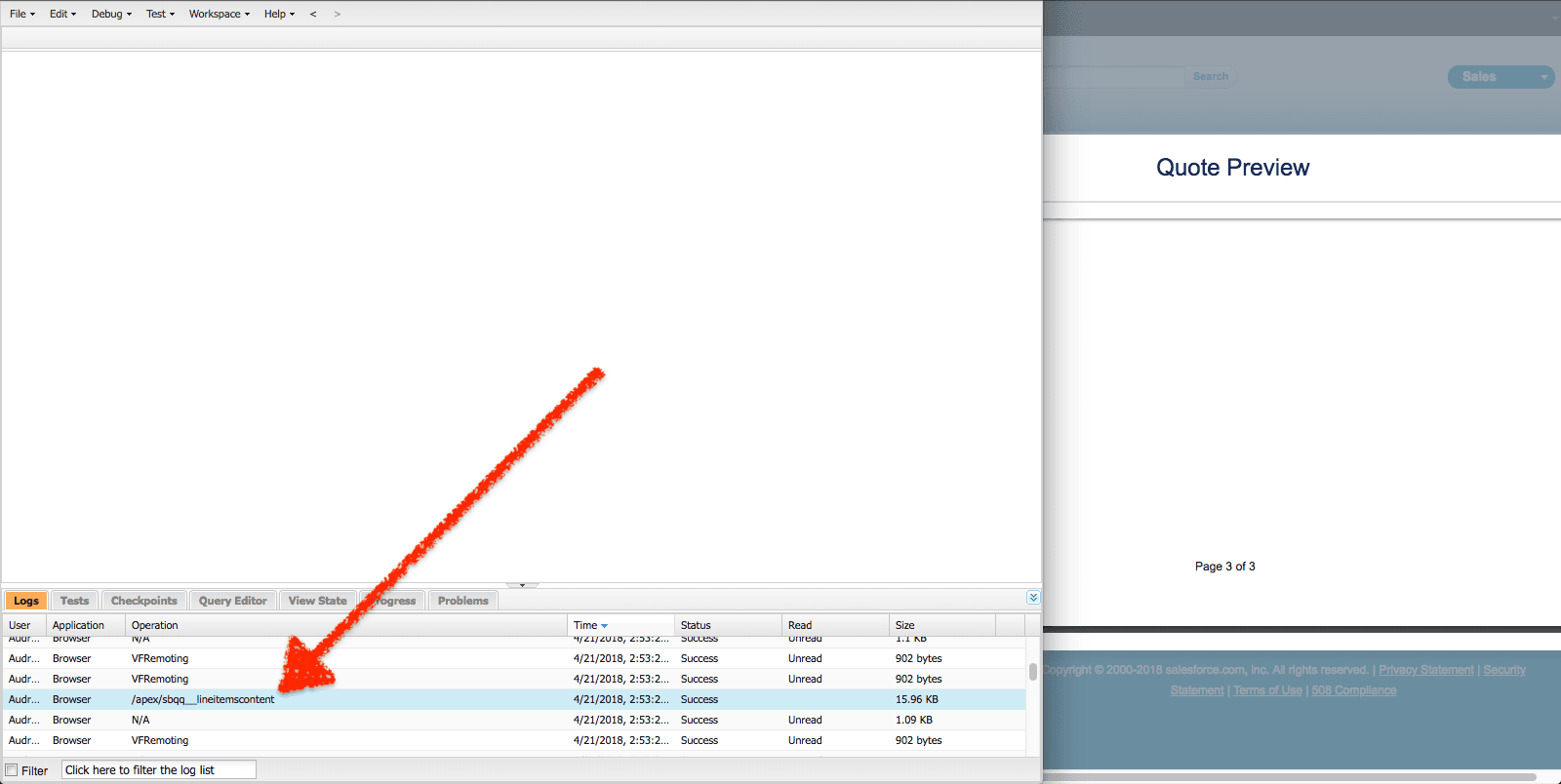
The one I was looking for was "sbqq__lineitemscontent". For the unindoctrinated, the name is in the format "namespace__filename" (two underscores between them). Since pages are not protected in a managed package, you are actually free to view the source and copy it for your own needs. Just go to Setup > Pages and find the page "lineitemscontent" and you can see the markup. Here it is for your convenience:
<apex:page language="{!vfLanguage}" controller="SBQQ.DocumentGeneratorController" contentType="application/xml" showHeader="false" sidebar="false">
    <apex:outputPanel layout="none" rendered="{!hasQuote}">
        <c:lineItemGroups quote2="{!quote2}" template="{!template}"
            staticGroups="{!staticGroups}" dynamicGroups="{!dynamicGroups}"
            currencyFormatPattern="{!currencyFormatPattern}"
            fontSize="{!fontSize}" fontFamily="{!fontFamily}" textColor="{!textColor}" tableStyle="{!tableStyle}"/>
        <c:quoteTotals quote2="{!quote2}" template="{!template}"
            staticGroups="{!staticGroups}" dynamicGroups="{!dynamicGroups}"
            currencyFormatPattern="{!currencyFormatPattern}"
            fontSize="{!fontSize}" fontFamily="{!fontFamily}" textColor="{!textColor}"/>
    </apex:outputPanel>
</apex:page>
Because the components used in this page are in global (lineItemGroups and quoteTotals) we can copy this page and refer to them in our own namespace. The only catch: you need to switch the namespace from "c:" to "sbqq:" since you moved the page to your own namespace.
Here is what it looks like after the replace:
<apex:page language="{!vfLanguage}" controller="SBQQ.DocumentGeneratorController" contentType="application/xml" showHeader="false" sidebar="false">
    <apex:outputPanel layout="none" rendered="{!hasQuote}">
        <**sbqq**:lineItemGroups quote2="{!quote2}" template="{!template}"
            staticGroups="{!staticGroups}" dynamicGroups="{!dynamicGroups}"
            currencyFormatPattern="{!currencyFormatPattern}"
            fontSize="{!fontSize}" fontFamily="{!fontFamily}" textColor="{!textColor}" tableStyle="{!tableStyle}"/>
        <**sbqq**:quoteTotals quote2="{!quote2}" template="{!template}"
            staticGroups="{!staticGroups}" dynamicGroups="{!dynamicGroups}"
            currencyFormatPattern="{!currencyFormatPattern}"
            fontSize="{!fontSize}" fontFamily="{!fontFamily}" textColor="{!textColor}"/>
    </apex:outputPanel>
</apex:page>
In our version, we commented out the tag sbqq:quoteTotals since it was showing even if the switch for it in quote template was turned off (bug or not, project has to go live, right?).
Hope this helps you in your CPQ journey and let us know if you need any CPQ/StellBrick help.
Related Articles

Why You Should Sync Salesforce to an External Database
Quick Summary Why Your Salesforce Data Needs to Break Free Salesforce has…
January 8, 2026
19 Min Read
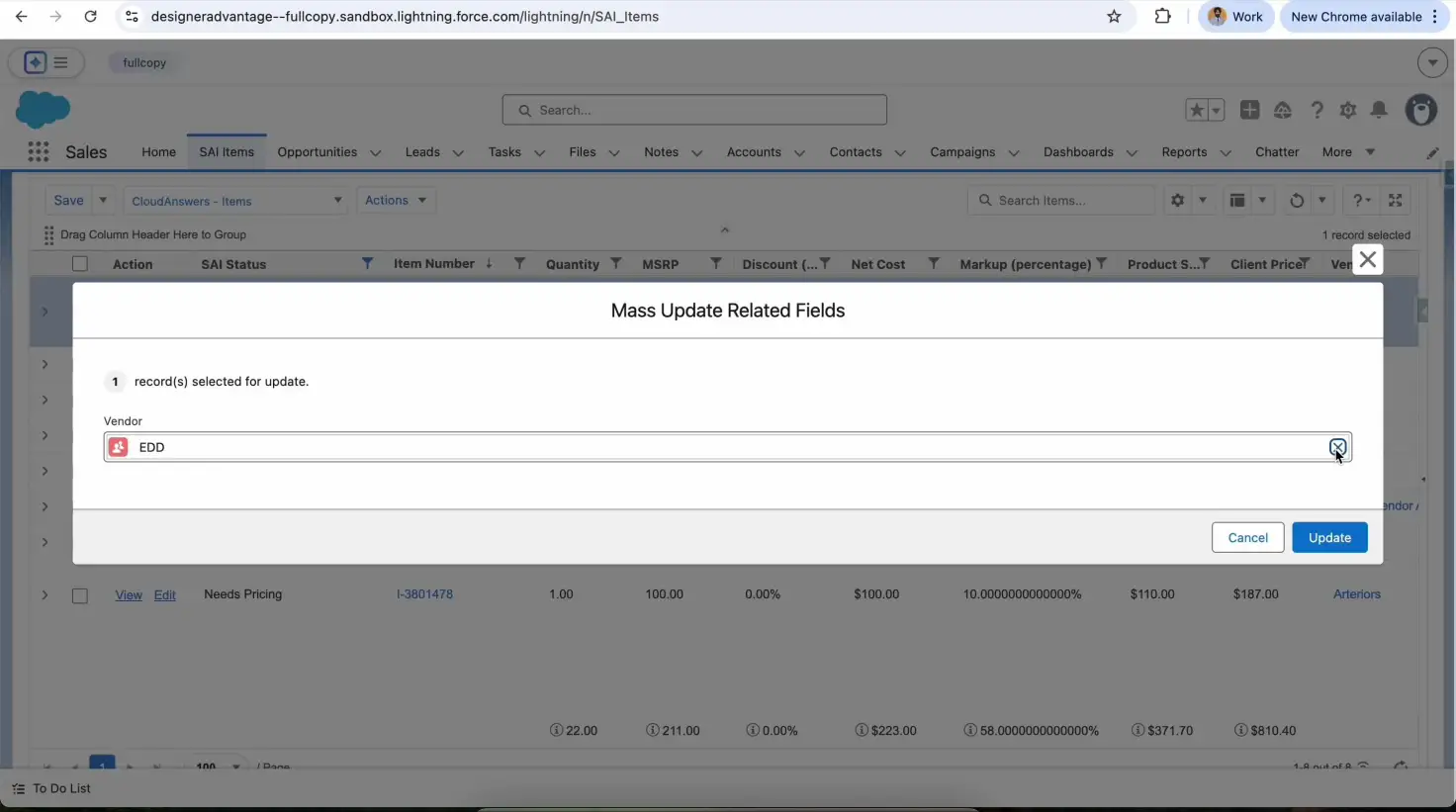
Fast Inline Editing Lists with LWC and Conga Grid
We had a client request to let users inline edit multiple records…
December 29, 2025
5 Min Read
Tips for Becoming a Salesforce Developer
Interested in becoming a Salesforce developer? In this blog post Jagmohan has put together his favorite tips and resources to get started in the world of Salesforce development.
April 4, 2024
6 Min Read

Partners

Company
Get in touch
Locations: New Hampshire, India, Maine, Colorado, Poland, Ukraine, Belarus
Email: help@cloudanswers.com
Phone: +1 508 500 8333