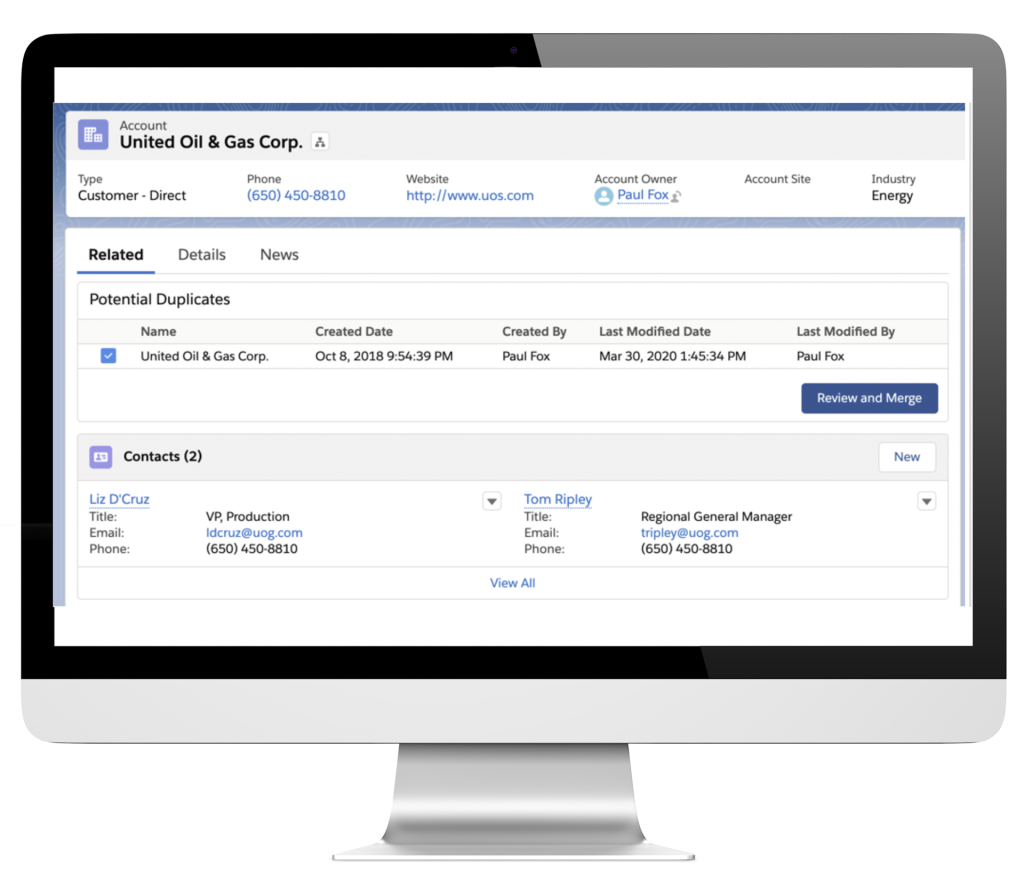
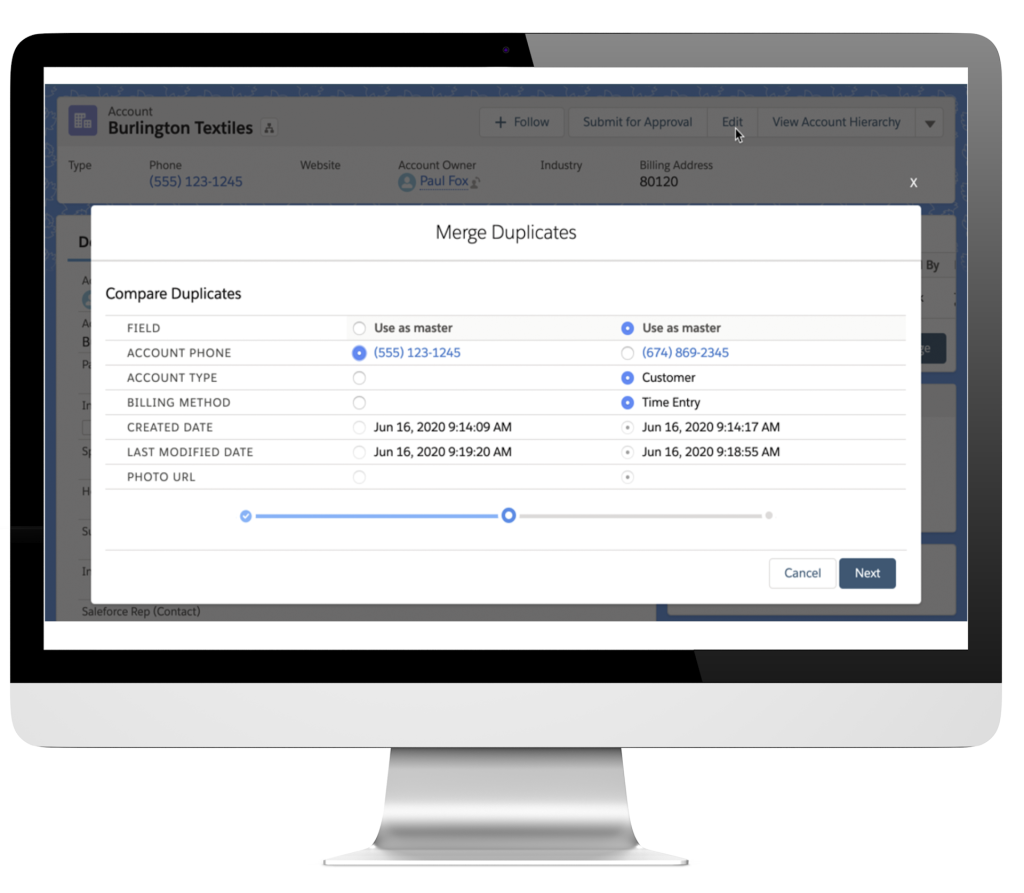
Easily Find Duplicates
Potential duplicates component makes it easy for user to see duplicates and merge them, right from a record. Eliminating duplicates is an ongoing job, why not get everyone to help out as they're using the system?
Free for Everyone
No restrictions.
- Merge up to 3 duplicates at a time
- Unlimited users and unlimited merges
- Email support
- Live chat support
Duplicate records result in confusion and can cut into profits.
- Duplicates exist in every system.
- Duplicates cause users to distrust the system.
- Marketing automation can cause you to annoy prospects that are duplicated.
- Sales pipeline is muddled.
- Sales and marketing efforts are wasted.
With the Potential Duplicates component you can easily find duplicates and merge them.
Identify and Merge duplicate records while you’re working
Time efficient
Merge duplicates in just a few clicks.
Empowerment
Generate accurate reports and improve adoption.
Clean data is reliable data
Users know they are looking at the right data.
Custom-friendly
Customize your matching criteria to catch the right duplicates.
A quick setup guide
Setup matching rules
Use Salesforce duplicate rules for:
- accounts
- contacts
- leads
- any custom object
to set up your matching criteria base on your business needs
Add the component
See duplicates
Merge
What our customers are saying
Already more than 200 companies are using our apps.
Ailie Fan
Aviral Agrawal
Jodie Miners
Ryan Boggs
Frequently Asked Questions.
Why am I receiving an Insufficient Access Rights error?
The most common reason that a user cannot merge two records is because they do not have Edit and Delete permission on all of the records that they are merging. More information on that topic you can find in this article: https://help.cloudanswers.com/en/articles/4277924-troubleshooting-merge-errors
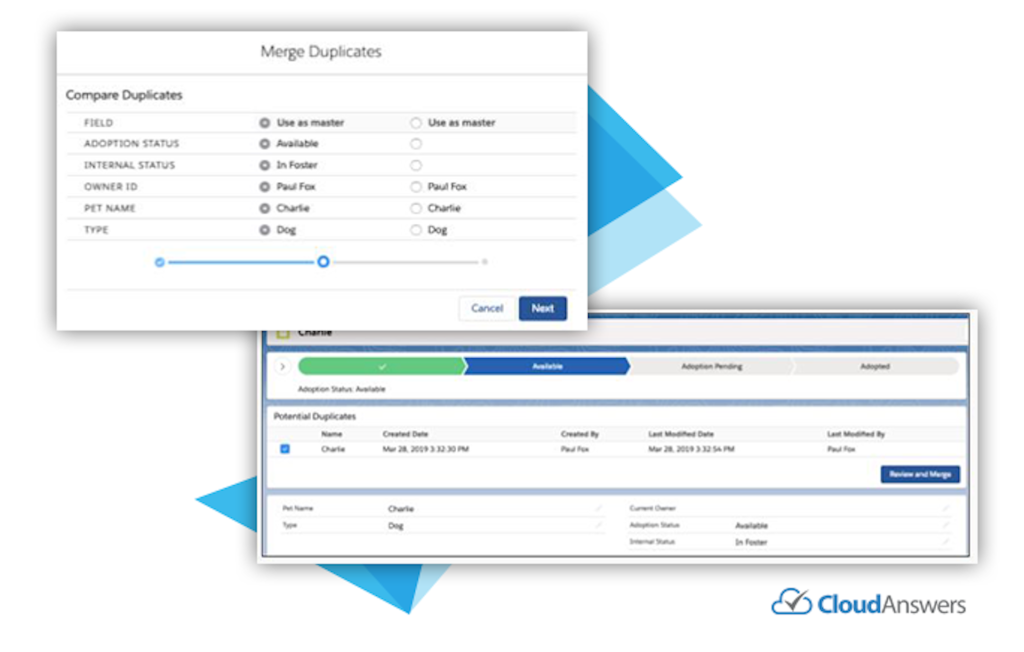
Can I change the columns in the potential duplicates list?
How do I set up the Potential Duplicates component?
The Potential Duplicates Lightning Component works for Accounts, Contacts, Leads, and Custom Objects. Go to this article where we cover setup and common questions https://help.cloudanswers.com/en/articles/2852441-installation-guide